Automated Cleanup PRs
Let FlagShark automatically create pull requests to remove stale feature flags from your codebase.
One of FlagShark's most powerful features is automated cleanup PR generation. When a feature flag has served its purpose, FlagShark can create a pull request that removes all traces of the flag from your code.
Piranha Technology
FlagShark uses Piranha, an open-source code refactoring tool developed by Uber, to intelligently remove feature flag code. Unlike simple find-and-replace, Piranha understands your code's abstract syntax tree (AST) and can:
- Remove entire conditional branches — Not just the flag check, but the unreachable code path
- Simplify nested conditions — Clean up complex if/else trees
- Remove dead functions — Delete helper functions only used by the removed path
- Clean up imports — Remove imports that are no longer needed
- Preserve formatting — Maintain your code style and indentation
How Piranha Works
flowchart TB
    A["Source<br/>Code"] -->|tree-sitter| B["Parse<br/>AST"]
    B --> C["Find Flag<br/>Usages"]
    C -->|keep enabled| D["Determine<br/>Path"]
    D --> E["Apply<br/>Rules"]
    E --> F["Clean<br/>Code"]
Example: Before and After
Before Piranha cleanup:
import { useFlags } from 'launchdarkly-react-client-sdk';
import { NewCheckout } from './NewCheckout';
import { LegacyCheckout } from './LegacyCheckout';

function CheckoutPage() {
  const { enableNewCheckout } = useFlags();

  if (enableNewCheckout) {
    return <NewCheckout />;
  }
  return <LegacyCheckout />;
}
After Piranha cleanup (keeping enabled path):
import { NewCheckout } from './NewCheckout';

function CheckoutPage() {
  return <NewCheckout />;
}
Notice how Piranha:
- Removed the
useFlagsimport (no longer needed) - Removed the
LegacyCheckoutimport (no longer used) - Removed the
enableNewCheckoutvariable - Removed the entire conditional
- Kept only the enabled path
How It Works
FlagShark analyzes your flag usage and can generate a PR that:
// Before cleanup
- import { useFlags } from 'launchdarkly-react-client-sdk';

  function CheckoutButton() {
-   const { enableNewCheckout } = useFlags();
-
-   if (enableNewCheckout) {
-     return <NewCheckoutButton />;
-   }
-   return <LegacyCheckoutButton />;
+   return <NewCheckoutButton />;
  }
Triggering Cleanup
From the Dashboard
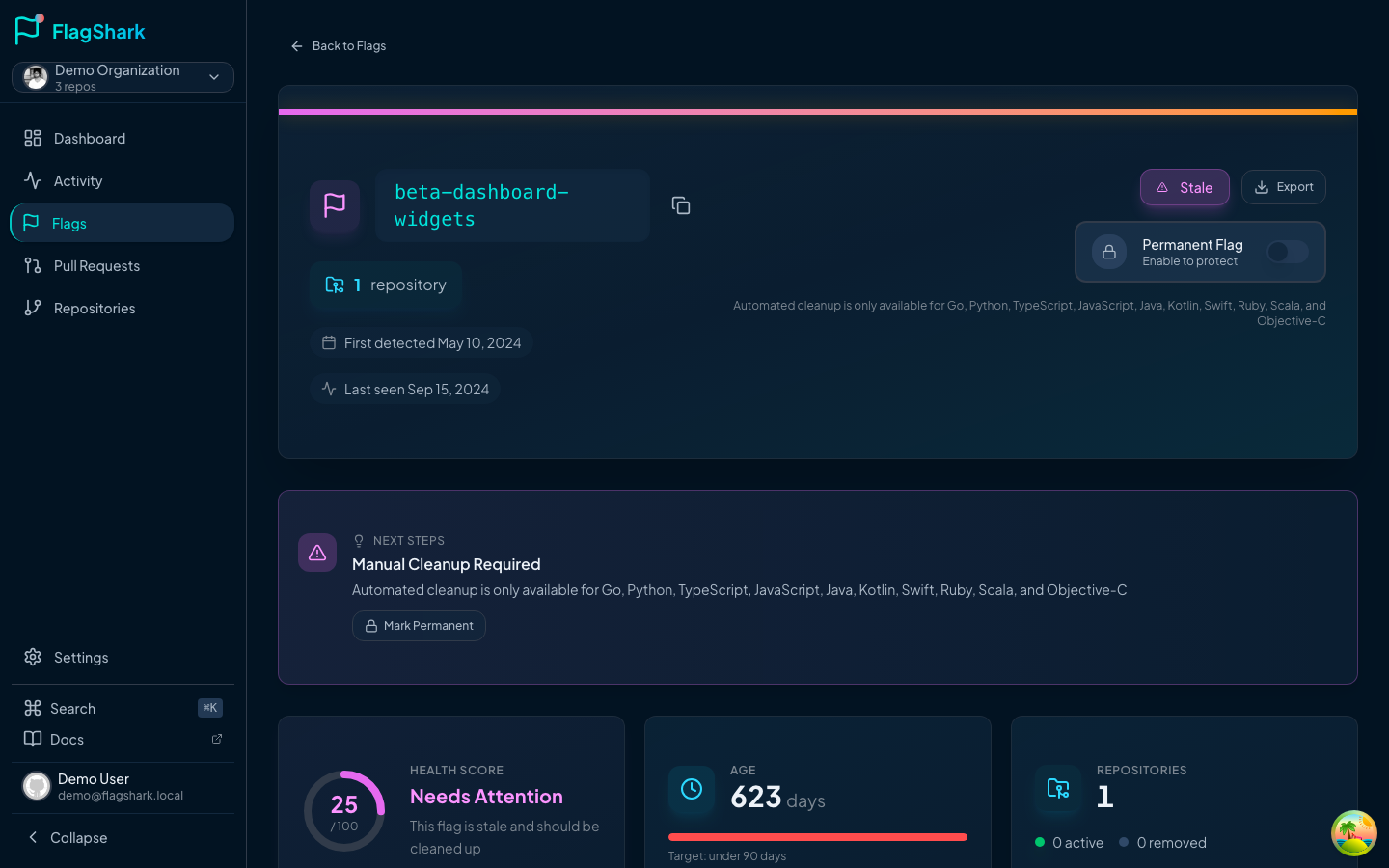
From Stale Flag Alerts
When FlagShark detects a stale flag:
Cleanup Options
Keep Enabled Path
The most common option - keep the code that runs when the flag is true:
// Original
if (flags.enableNewFeature) {
  return <NewFeature />;    // ← Keep this
}
return <OldFeature />;      // ← Remove this

// After cleanup
return <NewFeature />;
Keep Disabled Path
Occasionally needed if you're rolling back a feature:
// Original
if (flags.enableNewFeature) {
  return <NewFeature />;    // ← Remove this
}
return <OldFeature />;      // ← Keep this

// After cleanup
return <OldFeature />;
Remove Both Paths
For flags that only controlled logging or metrics:
// Original
if (flags.enableDetailedLogging) {
  logger.debug('Detailed info:', data);
}
doActualWork();

// After cleanup (remove the entire if block)
doActualWork();
What Gets Cleaned
Flag Evaluations
All variations of flag checks are removed:
// These are all cleaned up:
const enabled = ldClient.variation('flag-key', user, false);
const { flagKey } = useFlags();
if (featureFlags.isEnabled('flag-key')) { }
Conditional Logic
The wrapping conditionals are simplified:
// Ternary operators
const Component = enabled ? <New /> : <Old />;
// Becomes:
const Component = <New />;

// If/else blocks
if (enabled) {
  doNew();
} else {
  doOld();
}
// Becomes:
doNew();

// Switch statements
switch (variant) {
  case 'a': return <VariantA />;
  case 'b': return <VariantB />;
}
// Becomes:
return <VariantA />; // (if 'a' was the winner)
Dead Code
Code that becomes unreachable is removed:
// Before: Function only used by disabled path
function legacyHelper() { /* ... */ }

// After: Function is removed if unused
Imports
Unused imports are cleaned up:
// Before
import { useFlags } from 'launchdarkly-react-client-sdk';
import { NewFeature } from './NewFeature';
import { OldFeature } from './OldFeature';

// After (keeping enabled path)
import { NewFeature } from './NewFeature';
// useFlags removed - no longer used
// OldFeature removed - no longer used
Preview Before Creating
Always preview changes before creating the PR:
The preview shows:
- All files that will be modified
- Line-by-line diff of changes
- Any potential issues or warnings
Handling Complex Cases
Multiple Files
If a flag is used across many files, FlagShark handles them all:
Cleanup PR will modify 7 files:
├── src/components/Feature.tsx
├── src/components/Feature.test.tsx
├── src/hooks/useFeature.ts
├── src/api/feature.ts
├── src/utils/featureHelpers.ts
├── src/pages/FeaturePage.tsx
└── src/pages/FeaturePage.test.tsx
Nested Conditions
FlagShark handles nested flag checks:
// Before
if (flags.enableFeature) {
  if (flags.enableSubFeature) {
    return <SubFeature />;
  }
  return <Feature />;
}
return <Legacy />;

// After (cleaning up enableFeature, keeping enabled)
if (flags.enableSubFeature) {
  return <SubFeature />;
}
return <Feature />;
Flag Dependencies
FlagShark warns about dependent flags:
Review Process
Automated Checks
Cleanup PRs include:
- Syntax validation
- Import verification
- Test file updates
Manual Review
Always review cleanup PRs:
Best Practices
Clean Up Promptly
Don't let flags linger at 100%:
| Flag Age at 100% | Action |
|---|---|
| < 2 weeks | Monitor |
| 2-4 weeks | Plan cleanup |
| > 4 weeks | Create cleanup PR |
Test Both Paths First
Before cleanup, ensure you've tested:
- The path you're keeping works correctly
- Removing the other path won't break anything
- All tests pass with the flag fully enabled
Coordinate with Team
Let your team know:
📣 Cleanup planned for `enable-new-checkout`

The flag has been at 100% for 3 weeks with no issues.
Cleanup PR will be created tomorrow.

Please review PR #301 when ready.
Update Documentation
After cleanup, update any docs that mentioned the flag:
- README files
- Runbooks
- Architecture docs
- API documentation
Troubleshooting
Cleanup PR Has Conflicts
If the PR has merge conflicts:
Tests Fail After Cleanup
If tests fail:
Complex Code Pattern Not Handled
FlagShark may not handle every pattern:
Disabling Auto-Cleanup
If you want to manage cleanup manually:
Related Documentation
- Flag Lifecycle - When to clean up flags
- Activity Feed - Tracking cleanup activity
- Common Issues - Cleanup troubleshooting